
Appearance
How to get an API key
You create API keys yourself in the app, from the profile menu. A key belongs to the wallet that created it, so connect the one your team trades from. Test keys work right away. Live keys need a short access request first.
Before you start
You need a wallet you can sign in with. EOAs, Safe and custody wallets all work. Signing in costs no gas and sends no transaction.
Create a key
Open app.textilecredit.com/s/swap and connect your wallet.
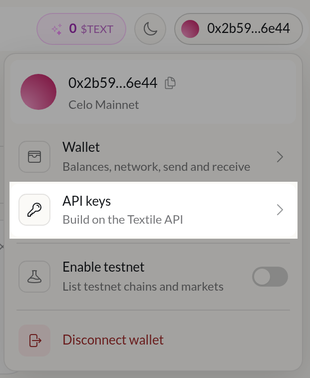
Click your wallet address in the top right.

Pick API keys in the menu.
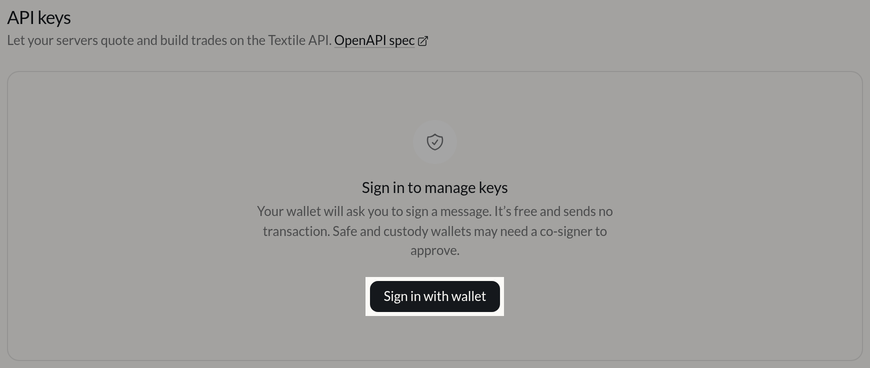
Press Sign in with wallet and sign the message. Safe and custody wallets may need a co-signer to approve it first. The page waits.
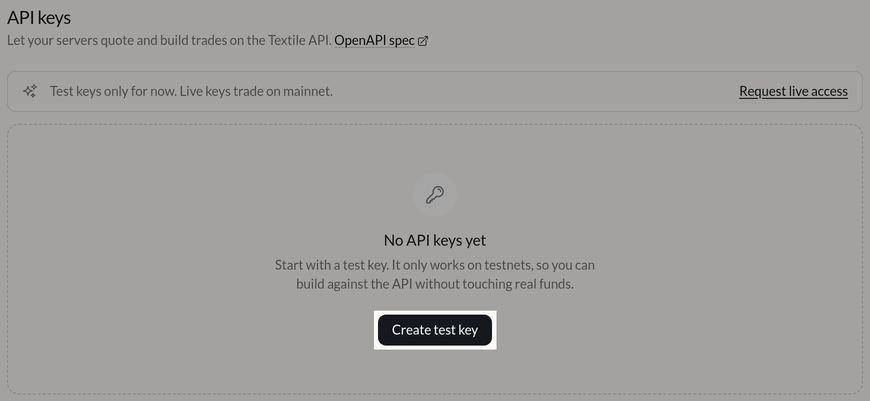
Press Create test key. Once you have a key, this button moves to the top right and reads Create key.
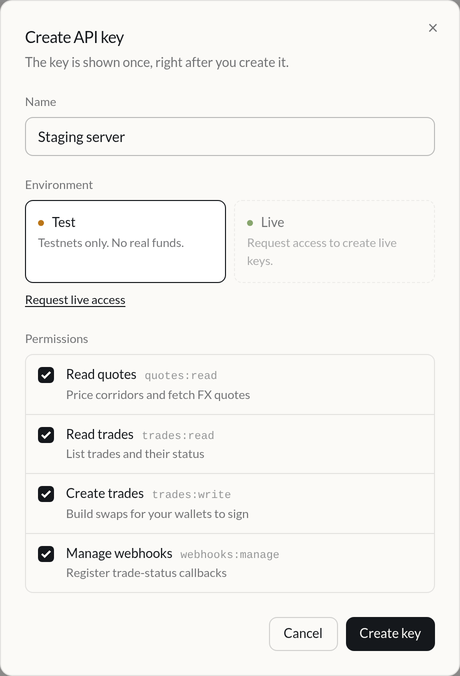
Give the key a name that says where it runs, for example "Staging server". Pick Test or Live, and untick any permission the key doesn't need. All four are on by default.
Press Create key. Copy the key and put it in your secrets manager now. This is the only time you'll see it. Tick I've stored this key somewhere safe, then press Done.
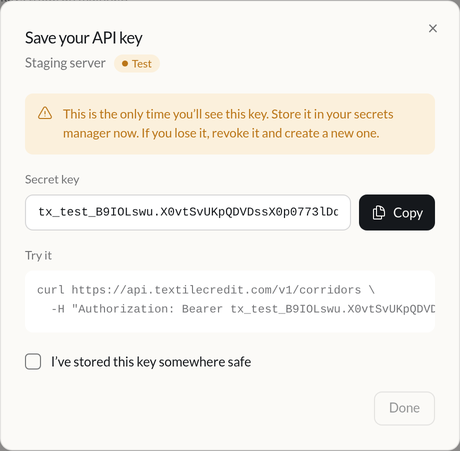
Send the key as a bearer token on every request. See Authentication for the header, the key format and what each scope unlocks.
You can also go straight to app.textilecredit.com/s/api-keys.
Getting live keys
A new account gets test keys only. A test key works on BNB Smart Chain testnet and Base Sepolia, nowhere else (see Testnet). To trade on mainnet, request live access from the same page:
Press Request live access, either on the API keys page or under Live in the create form.

Fill in the form: your name, company, work email, WhatsApp number, the country your company operates in, website, what you're building and expected monthly volume. Accept the terms and send it.
Open the email we send you and confirm your address. If it doesn't arrive, press Resend email on the API keys page.
Most requests are approved as soon as the email is confirmed. The Live option in the create form unlocks and you can create live keys the same way as test keys. Some requests go to manual review first. The page says so, and we email you once it's decided.
Revoking a key
Press Revoke next to the key on the API keys page. Requests using it start failing right away, and it can't be undone. We only store a hash of each key, so a lost key can't be recovered either. Revoke it and create a new one.
Limits
Each account can hold 10 active keys per environment. Keys you create here carry taker permissions only and use the default rate-limit tier. If you need a higher tier, or you're setting up as a maker, write to contact@textilecredit.com.